
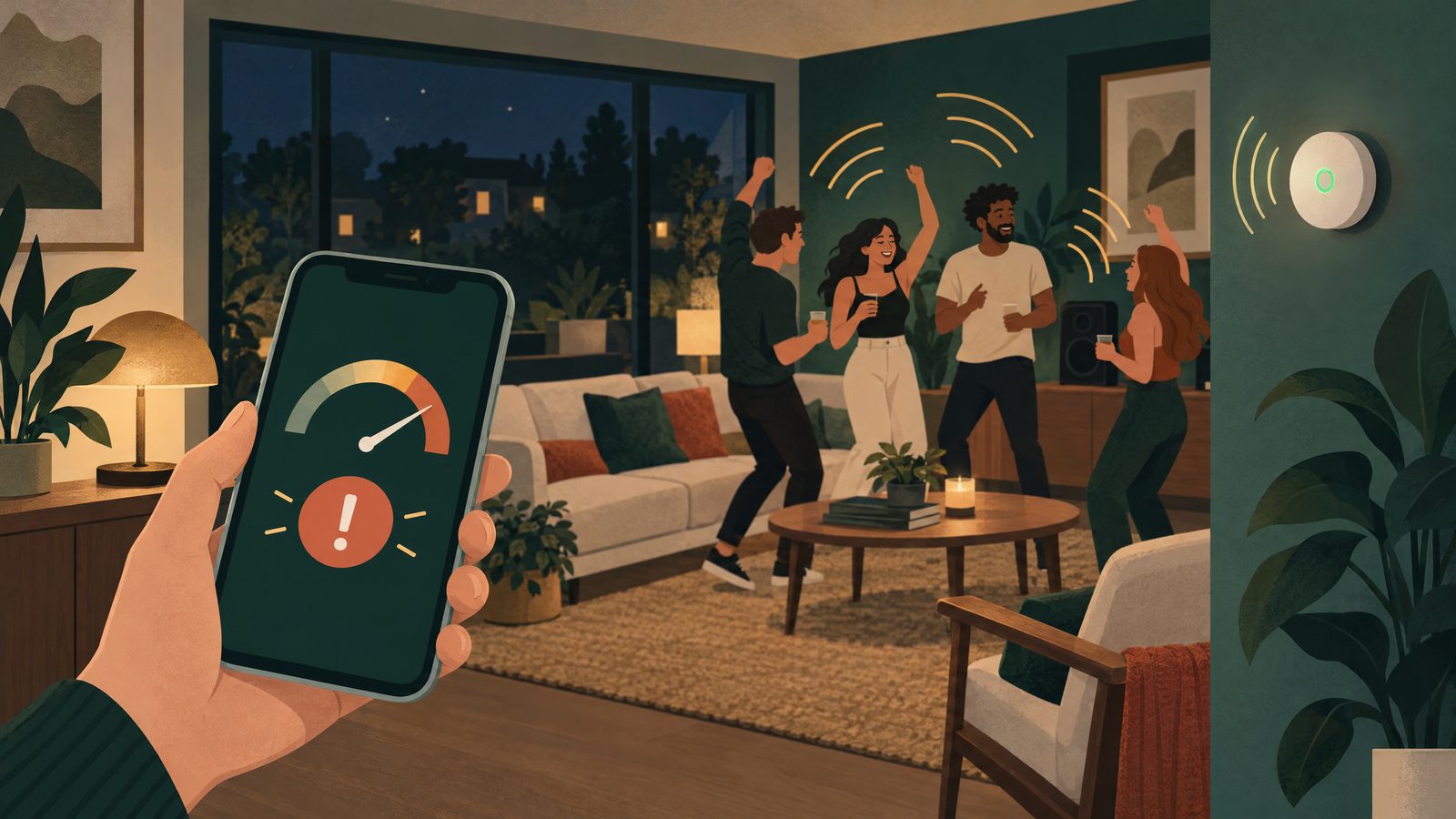
An Airbnb noise monitor can give you time to lower the music before a neighbor knocks on the door. It’s an early warning, not a verdict. But a badly configured device can interrupt a family watching a movie, leaving them feeling watched when they haven’t disturbed anyone. Choose sound-level monitoring that doesn’t record conversations. Clear disclosure matters as much as a calm response. Your goal is fewer disturbances without making reasonable guests uncomfortable. That’s how monitoring can support neighbor relations and protect the experience guests describe in reviews.
Airbnb Universe is a host-run blog about Airbnb hosting, run by Devin and Sarah. Forgetting a top bedsheet earned them their first three-star review. Small details matter. Noise monitoring deserves the same care: how you explain and use it matters as much as the device.
What does an Airbnb noise monitor actually tell you?
Say your rental’s living room gets loud at 10:45 p.m. A sensor alert tells you that sound crossed a configured level for a certain duration. It doesn’t tell you whether the cause was music, an excited board game, or a passing siren.
Choose a device that measures decibels, the units used for sound level, without saving or transmitting playable audio. A suitable system converts sound into level readings and sends an alert when your settings are met. You can’t listen in, replay a conversation, or identify what someone said.
That limitation is useful. You get a reason to check in without collecting conversations. But you don’t get proof of a party, property damage, or extra guests. A sustained reading deserves attention; a brief spike usually needs context.
Occupancy sensors are a different category. Some estimate activity by detecting nearby wireless devices, which isn’t a reliable head count. One guest might carry several devices. Don’t treat those estimates as confirmation of an occupancy breach; use clear booking expectations and your rules for additional Airbnb guests separately.
Are noise monitors allowed on Airbnb instead of cameras?
An old hosting article might suggest putting a disclosed camera in the living room. That advice no longer works for an ordinary Airbnb home. George Washington University’s March 2024 policy notice confirms that Airbnb’s indoor-security-camera ban took effect on April 30, 2024.
As of December 26, 2024, disclosed noise-decibel monitors are permitted in common spaces, but not in bedrooms, bathrooms, or sleeping areas. They must measure levels without recording conversations. Disclosure doesn’t make an indoor security camera acceptable.
A living room with a sofa bed needs special care. If you offer that room as a sleeping area, don’t assume its daytime use makes it an acceptable sensor location. Choose another permitted common area or reconsider your layout.
Exterior cameras have separate disclosure and placement rules. They aren’t a substitute for a privacy-respecting indoor sound sensor, and an exterior camera must not monitor indoor space. Don’t add audio recording to a noise-monitoring setup to get more detail.
Platform permission also doesn’t settle local privacy law or rental regulations. Check applicable requirements before installation. If a device has extra surveillance features, assess those separately rather than assuming the noise-monitor permission covers everything it can do.
How do you choose the right monitor for your rental?
A sensor that works in a compact condo might miss the deck where your guests gather. Say you manage a house with a detached patio: indoor coverage alone could leave the main disturbance area unmonitored.
Start with the problem area, then compare devices. Minut and NoiseAware are examples of dedicated rental noise-monitor brands. This isn’t a hands-on ranking; check each model’s hardware and subscription before buying.
The useful buying questions are:
- Can you adjust both level and duration? An instant alert for every door slam creates unnecessary work. Separate quiet-hour settings help distinguish evening activity from overnight disturbance.
- Is the sensor suitable for its location? Outdoor use requires hardware rated for those conditions. A covered outlet doesn’t turn an indoor device into an outdoor one.
- What happens when power or Wi-Fi fails? Check outage notifications, battery life, and whether monitoring and alert delivery behave differently while offline.
- Who receives the alert? Look for a backup recipient, understandable event history, and notification channels your on-call person will actually notice.
- What does the subscription include? Confirm retention, messaging features, extra-sensor costs, and any property-management integration you need. Ask how sound is processed and what data leaves the device.
Don’t buy extra occupancy or smoking features just because they’re bundled. Each adds another signal you’ll need to explain and interpret. A smaller feature set that solves your actual problem can be the better purchase.
Disclose the monitor before guests book
A guest spotting an unfamiliar ceiling sensor after arrival may wonder whether it’s a microphone they can’t switch off. A vague line about “smart-home technology” won’t answer that concern.
Declare the monitor in Airbnb’s designated listing disclosure field, then explain its purpose in ordinary language. Mention its location voluntarily, even where the platform doesn’t require that detail. Repeat the explanation in your house manual so guests can identify the device.
For a suitable living-room installation, you could write:
A noise-level sensor is installed in the living room. It measures sound levels and duration and alerts the host to sustained high noise. It does not record or transmit audio or conversations. Quiet hours are 10 p.m. to 8 a.m. Please keep music and voices low during those hours.
That wording is an original example; adapt it to your actual device and rules. Don’t promise “no microphone” unless that’s technically true. A microphone can measure sound without recording it, so explain what the system does with sound instead.
Put the same quiet hours in your Airbnb house rules and guest welcome book. A pre-arrival reminder helps, but it doesn’t replace disclosure before booking. Keep every version consistent, including restrictions on outdoor speakers or patio use.
What decibel threshold and quiet hours should you set?
Set a threshold too low and normal conversation becomes an incident. Set it too high and bass can disturb the apartment downstairs without triggering a useful warning. There’s no universal indoor number that guarantees happy neighbors.
The National Institute on Deafness and Other Communication Disorders lists normal conversation at 60–70 dBA in its 2020 sound-level guidance. The “A” means the reading uses a weighting that reflects human hearing. That range gives context, not permission to make that much noise anywhere at midnight.
Likewise, the EPA’s 1974 environmental-noise guidance identified 55 decibels outdoors and 45 indoors for limiting annoyance and activity interference. Those are sound-energy averages over time. They’re neither instant sensor-alert thresholds nor nationwide rental law. Don’t copy them into an app.
Base your rules on the applicable local ordinance, permit, and building requirements. Then test how activity inside your rental sounds where neighbors hear it. A reading near the television isn’t interchangeable with a property-line measurement.
Test a starting setting against real sound transmission
Say ordinary conversation produces moderate readings, but loud television with an open window is clearly audible next door. An arbitrary factory default could miss the difference that matters.
Test conversation and television at the installed sensor, then assess transmission from a permitted location outside or with a willing neighbor. Check closed and open windows. Repeat during the hours you’re trying to protect, without creating a disturbance yourself.
For a hypothetical trial, you might test an indoor alert at 70 dBA sustained for five minutes during quiet hours, if that option exists. This is a starting experiment, not a recommended legal limit. If disturbance reaches neighbors below it, change the setting or the activity rules. If ordinary use triggers it repeatedly, investigate placement before accusing guests.
Duration filters reduce brief alerts, but they also delay your response. Don’t use a long delay to make the dashboard look quieter. Bass and impact noise may require house-rule changes or sound-reduction work even when the sensor shows modest levels.
Place the sensor where it can give a useful warning
A monitor beside a dishwasher may report the kitchen more than the gathering area. One hidden behind a cabinet might produce readings you can’t compare reliably. Installation changes what an alert means.
Follow the manufacturer’s mounting instructions in a permitted common space. Keep the sensor away from appliance noise and avoid placing it directly beside a speaker unless the instructions call for that. Use separate outdoor coverage where needed; indoor sound readings won’t reliably describe a patio.
Test an actual alert before your next booking. Confirm the primary host and backup receive it with their phones in the settings they use overnight. Verify your Airbnb Wi-Fi setup at the installation point, rather than relying on a speed test beside the router.
An offline notification means the device is unavailable, not that a guest deliberately interfered with it. Check power, connectivity, and maintenance first. Include sensor status in turnovers, but don’t ask cleaners to reset settings without an agreed process.
What should you message guests when an alert fires?
Say your phone buzzes while guests are watching a late movie. “We know you’re having a party” could turn a fixable volume issue into an argument. Start with what you actually know, then ask for one clear adjustment.
Check the duration and trend first. Select the right property and reservation. If sustained noise warrants contact, message through Airbnb so the guest can respond and the exchange stays with the booking. Save these original scripts alongside your Airbnb guest message templates.
First alert: ask for a small correction
The guest may not realize sound carries through the open patio door. Your first message should give them an easy way to fix that, without assuming bad intent.
Hi [Name], I hope your evening’s going well. The disclosed noise sensor has flagged sustained higher sound levels. Quiet hours started at 10 p.m. Could you lower the music or TV and keep voices down, please? If you’re outside, please move indoors and close the patio door. Thanks for helping keep the neighbors comfortable.
Use only requests that fit the property. Don’t say a neighbor complained unless someone did. And don’t cite a decibel reading as if it proves which activity caused it.
Noise continues: make the follow-up specific
If the readings stay high after your first request, another vague reminder may get lost in the conversation. Check whether the guest saw your message, then clarify the required change.
Hi [Name], the sensor is still reporting elevated sound levels after my earlier message. Please turn off the music and end outdoor conversations now, in line with the quiet-hour rules. Could you reply to confirm you’ve seen this? If something else is causing the reading, let me know so I can check it.
A ten-minute follow-up could suit a routine case, but it’s an example, not a grace period for violations. Persistent disturbance or stricter local requirements may call for faster action. Phone the guest if appropriate and record a factual recap in the booking thread.
The guest disputes the alert: investigate before escalating
A guest saying “we’re already asleep” is a reason to check your interpretation. An appliance or sound from outside could be responsible. Don’t keep sending warnings while ignoring that explanation.
Thanks for letting me know. The sensor measures volume, so it can’t identify the source. I’ll check the device and possible background noise. You don’t need to troubleshoot it tonight. Please keep following the quiet-hour rules, and I’ll update you if anything else needs attention.
If quiet returns, thank the guest and stop messaging. If there’s a continuing disturbance, use a safe local response plan and contact Airbnb support when needed. Don’t threaten an automatic eviction, invent a fine, or attempt removal without the proper platform and legal process. Immediate danger calls for emergency services.
Give neighbors a contact person, not a dashboard
A neighbor who can’t reach you may feel that your monitoring device is doing nothing. Say patio noise continues while you’re asleep in another time zone. The sensor hasn’t solved the problem if nobody responds.
Give nearby residents a working contact method and name a backup who can act locally. Ask which sounds bother them and where they hear them. You don’t need to give them guest details or access to the sensor feed.
Local response obligations can be specific. San Bernardino County’s 2024 STR Operational Standards Guide sets quiet hours of 10 p.m. to 7 a.m. Its call-response requirements include phone contact within 30 minutes and the ability to be physically present within one hour to address complaints. Those county-program rules aren’t a national standard; check the rules governing your address.
When a neighbor complains, ask for the time and location, acknowledge the report, and follow up after checking. “The sensor didn’t alert” doesn’t disprove their experience. Low-frequency music or outdoor voices can be troublesome even when your indoor reading looks ordinary.
Budget for a response system, not just hardware
A cheap sensor with a paid subscription can cost more than expected. And a premium one won’t protect your listing if nobody’s available when it alerts.
Compare first-year cost: hardware, subscription, installation, extra sensors, and any local response arrangement. Say hardware costs $150 and monitoring costs $15 monthly. That’s $150 + ($15 × 12) = $330 for the first year, before installation or response costs. These are hypothetical prices, not a vendor quote.
Ask what works without a subscription and how renewals are billed. Treat claimed savings from prevented parties cautiously: you can’t know what would have happened without the device. The practical value is an earlier chance to address a disturbance, with less unnecessary intrusion.
Judge success by quieter stays and fewer false alarms
A dashboard full of alerts can look productive while guests keep getting interrupted. Say your cleaner’s vacuum repeatedly triggers messages during turnover. More notifications haven’t improved anyone’s stay.
After your first month, review confirmed disturbances alongside false alerts. Did someone respond quickly? Note whether the requested change worked, and fix repeated causes such as a television against a shared wall or unclear patio hours.
Use your Airbnb review process to understand feedback without pressuring guests about ratings. A sensor can support good hosting; it can’t guarantee reviews or remove negative ones.
Before the next guest arrives, confirm disclosure, test alert delivery, and name the person who’ll respond tonight. Those checks turn a noise monitor into a useful hosting tool. Without them, it’s another device waiting for someone to notice.
Frequently asked questions
Does every Airbnb need a noise monitor?
Airbnb’s permission to use decibel sensors is not a requirement that every host install one. Your local rental rules may impose separate obligations. A monitor is most useful where sound travels easily or the host cannot notice disturbances directly. For a quiet property with an attentive on-site host, better rules and sound reduction may be enough.
Can a phone app replace a dedicated Airbnb noise monitor?
A sound-level app can help you compare readings during setup, but do not assume it provides reliable remote monitoring. Check its audio handling, power needs, notification options, and behavior when the internet disconnects. A device left at the property still needs appropriate placement and disclosure. Test the full alert process rather than judging it by the displayed number.
What should I ask a noise-monitor vendor about privacy?
Ask whether any audio is saved, streamed, or accessible to a person, rather than accepting a general privacy label. Find out which measurements leave the device, who can access them, and how long they remain stored. Check optional features separately. Your guest disclosure should describe the functions you actually enable, without promising capabilities the hardware cannot support.
Does a noise alert prove that a guest broke the rules?
An alert shows that the sensor’s configured conditions were met; it does not establish the cause or prove a legal violation. Keep relevant timestamps and the guest’s explanation, then assess them against the disclosed rules and any verified complaint. Do not assume a reading justifies a fee, compensation, or cancellation without further review and the appropriate process.