Category: Blog

  • Top Airbnb Host Forums for Knowledge & Questions

    Top Airbnb Host Forums for Knowledge & Questions

    Even if you are a veteran host or just a beginner, having solid Airbnb host forums you can rely on is vital. Learning from others and staying up-to-date with best practices and industry trends is essential. 

    One great way to do this is by joining forums and online communities where hosts can connect and share their experiences. In this article, we’ll discuss the top Airbnb host forums for knowledge and questions so that you can find the right one for you.

    What Is An Airbnb Forum?

    An Airbnb forum is a place where hosts and guests can share ideas and views on specific topics. Forums are a great way to get insight into the latest company news and tip from other Airbnb users.

    As an Airbnb host, you have access to a platform that allows you to share your home with people. However, being an Airbnb host can be challenging and complex, especially if you are just starting.

    Why Join a Host Forum

    There are several benefits to joining Airbnb host forums; some of them include the:

    • Learning from experienced hosts: By connecting with other hosts who have been in the business for a while, you can learn from their experiences and get valuable tips and advice.
    • Getting answers to specific questions: If you have a question about a particular issue or policy, you can ask other hosts for their insights and advice.
    • More opportunities: Sometimes, you can find guests amongst these Airbnb forums or get a referral from another overbooked host.
    • Connecting with other hosts: Being a host can be a solitary experience, but by joining an online forum, you can connect with other hosts and build a sense of community.
    • Stay up-to-date with Airbnb policies and changes: Airbnb policies and procedures can change frequently, and forums are a great way to stay informed about updates.
    • Improving your hosting skills and guest experiences: By learning from other hosts and sharing your experiences, you can improve your hosting skills and create better guest experiences.

    Top 3 Airbnb Forums For Hosts & Guests

    Airbnb Community Forum

    The Airbnb Community Center is the official forum for Airbnb hosts. Here, hosts can connect with other hosts, ask questions, and share their experiences. It is the biggest forum out here for both hosts and guests. 

    The forum covers a wide range of topics related to hosting, including guest communication, pricing strategies, housekeeping, and more. The Airbnb Community Center also has a section for hosts to share their success stories and learn from the experiences of others. And it has a tagging feature where you can directly tag other hosts you want in a conversation. 

    There are also join local sub-groups in the community centre for hosts to join area groups. Some of the most useful threads on the forum include tips for setting up a successful Airbnb listing, dealing with demanding guests, and managing taxes as an Airbnb host. Hosts can also connect with Airbnb representatives for support and assistance. 

    However, one drawback of the Airbnb Community Center is that it is heavily moderated.

    To use the platform, you will need to have a valid Airbnb account and be logged into your account.

    The three main ways to get information from the Airbnb community forums are through the search bar, the discussion tab, and the discover tab.

    travel discussions

    If you couldn’t find the answer you were looking for, then click on the “Start a Conversation” button on the left side. This will allow you to ask a specific question.

    forum airbnb

    Airbnb Hosts Forum

    The Airbnb Hosts Forum is an independent forum dedicated to Airbnb hosts. Hosts can find a wealth of information in various categories, including hosting tips, guest experiences, regulations, and taxes.

    One of the most significant benefits of the forum is that experienced Airbnb hosts moderate it, so discussions are more focused and productive. Hosts can also connect on the platform, share their experiences, and ask questions.

    The forum itself is more catered towards hosts, but guests will still easily be able to find valuable information.

    To search for a topic on the platform, click on the magnifying icon in the top right corner. Each topic thread will show the reply, views, and activity. Make sure you click on an active topic thread if you want your question answered quickly.

    reddit vacation rentals

    Reddit – Airbnb Subreddit

    Reddit is a well-known platform for asking every question that you might have on anything. It has subreddits across every industry. 

    One of the advantages of the Reddit Airbnb Subreddit is that it’s a large community with over 70,000 members. You can find answers to almost any question related to Airbnb.

    one of the drawbacks of using Reddit for Airbnb-related questions is that the platform can be somewhat unmoderated, so there may be misinformation or off-topic discussions. However, it has the potential to connect hosts with future guests.

    The Airbnb subreddit is perfect for both hosts and guests looking for information. In order to reply or ask any questions, you will need to have a valid Reddit account and be logged into your account.

    Once you are in the Airbnb Subreddit, you will be able to search for any question or topic you would like. You can then filter your search results by “Hot, New, Top”, and a few more. This can bring up questions you may not have thought about.

    Airbnb Reddit Subreddit host forum

    If you haven’t found the right answer, then you can click on the “Create Post” button in the middle and ask whatever you want. The only downfall is some of the posts will be archived due to inactivity over time.

    Reddit Airbnb subreddit forum

    Facebook Groups

    Facebook has the highest number of communities for Airbnb hosts, and these groups cut across different categories and localities. 

    Membership in the Airbnb Hosts Community on Facebook is free and open to all Airbnb hosts. Simply search for the group on Facebook and request to join. However, you might have to undergo some screening, like answering a question, accepting the group terms or accepting a friend request. 

    Here are some Facebook groups to look out for:

    AirBnB Masterminds

    Short-Term Rental University

    Airbnb Experts

    New Airbnb Hosts

    Host of Airbnb Automated

    Host Helping Host – Vacation Home Rental, Airbnb, Vrbo, & STR Discussions. 

    BiggerPockets

    BiggerPockets is a real estate investing community with a forum for Airbnb hosts. The Airbnb forum is where hosts can discuss everything related to Airbnb, from finding properties to managing listings.

    One of the benefits of the BiggerPockets forum is that it’s not just limited to Airbnb. You can also learn about other aspects of real estate investing, such as flipping houses and rental properties. This can give you a broader perspective on the industry and help you make informed decisions.

    Tips for Making the Most of Airbnb Host Forums

    Once you’ve joined an Airbnb host forum, here are some tips for making the most of it:

    Ask specific questions: Be as straightforward as possible when asking a question. This will make it easier for other hosts to provide you with relevant advice and insights.

    Participate in discussions: Don’t just ask questions – participate in discussions and share your own experiences and insights.

    Share your experiences and knowledge: You have your unique perspective as a host, so don’t be afraid to share your own experiences and expertise.

    Respect other members and their opinions: Remember that other members of the forum may have different opinions and experiences than you. Be respectful of their views and avoid getting into arguments.

    Use the search function before asking a question: Before asking a question, use the search function to see if it has already been answered. This will save you time and ensure you’re not asking a question already being addressed.

    Check Out Other Articles On AirbnbUniverse.com

    Final Thoughts

    Being an Airbnb host can be a rewarding and exciting experience, but it can also be challenging and complex. Fortunately, there are several Airbnb host forums that can help you navigate the world of hosting and provide you with the support you need to succeed. 

    Whether you are looking for advice on guest communication or property management, there is an online forum out there that can help you.

  • Airbnb Map View – How To Search On Windows And Phone
    Airbnb Map View – How To Search On Windows And Phone

    Airbnb Map View – How To Search On Windows And Phone

    Airbnb Search By Map

    Why Would You Search Airbnb By Map?

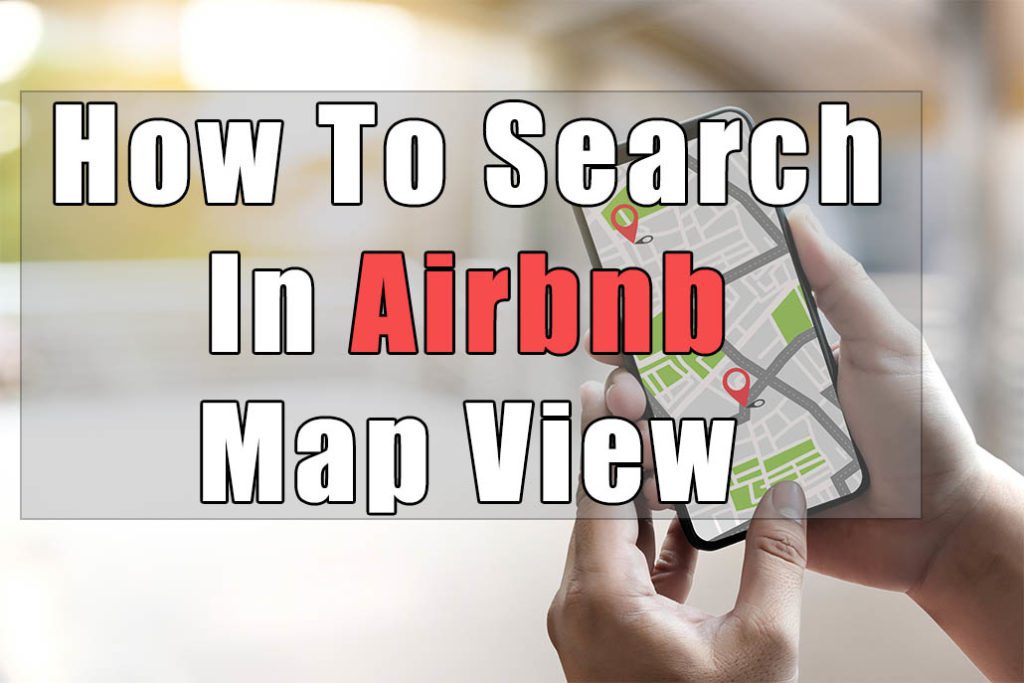
    The main benefit of searching Airbnb by the map is that you can see the total price including the Airbnb cleaning fee and it is much easier to visualize where you are in the city.

    If you are looking to plan a trip around a select few venues such as a stadium then the map view on Airbnb is the ideal preference.

    How To Search Airbnb By Map On Windows/Desktop

    Desktop – Step 1

    On Windows, Mac, or PC, first, visit the Airbnb website. Log into your account if you haven’t done that yet.

    Now, you will have to click on the top-left search bar and search for where you want to visit.

    Airbnb Map Search

    Desktop – Step 2

    After typing in the place you want to visit, a drop-down menu will appear with the city, STAYS, experiences, or adventures. Click on the “Stays” tab.

    Airbnb Map Search

    Desktop – Step 3

    By default, the “Show Map” tab on the top right corner under your Airbnb profile picture will be turned off. Click on it and a map will appear on the right side.

    With the map turned on, all the prices shown on it will be the total nightly prices including the cleaning fees. There will no longer be any hidden fees.

    Airbnb Map Search

    Airbnb Search By Map Desktop

    Desktop – Step 4

    Under the map section on the right, when you click on one of the price tags, it will highlight the listing and pop up a small tab. Within the tab, you can view the type of place, title, nightly price, and review rating/count.

    Included on the left, with the list of Airbnb properties, if you hover over any of them, the map view will highlight which listing you are hovering over to see its location.


    Airbnb Search By Map
    Airbnb Search By Map

    Desktop – Step 5

    On the Airbnb map search, by clicking on the image that shows up, it will take you to the standard Airbnb inquiry page.

    This is the standard page where you can search the listing for available dates, ask the host questions, read the description/reviews, and many other factors where you make your booking decisions.

    How To Search Airbnb By Map On iPhone & Android

    iPhone & Android – Step 1

    To start with, first, unlock your phone. Find the Airbnb app and open it. The home screen should be on the explore page by default. If not, at the very bottom on the left side, you will see the “Explore” icon. Click on it which should bring up a similar page as below.

    Airbnb explore page on iphone & android

    iPhone & Android – Step 2

    Next, on the top of your explore page, you will see a search bar. Click on it and type in what location you want to visit. After typing in the place you want to visit, a drop-down menu will appear with the city, STAYS, experiences, or adventures. Click on the “Stays” tab.

    Airbnb stay page on iphone & android

    iPhone & Android – Step 3

    Once you click on “Stays” a list of all possible Airbnb listings will appear. By default, searching by Airbnb map isn’t turned on. On the bottom right there is a GPS location icon. Click on it to turn on your map searching.

    Airbnb search by map iphone

    iPhone & Android – Step 4

    On the next screen, you will find an Airbnb map search which includes a map view, type of place, title of the listing, total price per night, and review rating/number of reviews.

    At the bottom you will find the Airbnb listing thumbnails and when you scroll left or right the price on the map view highlights. This indicates what listing you are scrolling to.

    Airbnb search by map

    How Do You Search Airbnb By Listing Number

    Unfortunately, Airbnb doesn’t include a filter to search by listing numbers yet. The best alternative to find a specific Airbnb listing is simply asking the host to send there full URL.

    To find an Airbnb property listing number, all you have to do is ask the host to preview there own listing and copy the URL.

    If you want to send your own Airbnb listing to a guest, here is how:

    Step 1 – After logging into https://airbnb.com, at the top click on the “Host” tab.

    Step 2 – With the drop-down menu that appears, scroll down until you click on the “Listing” tab. If you have multiple listings, click on the property you want to preview

    Step 3 – On the top, you will see “Preview Listing” beside the calendar tab. Click on it which will show your listing in your guest’s eyes.

    Step 4 – At the very top, you will see a preview mode URL such as https://www.airbnb.ca/rooms/432044?preview_for_ml=true&source_impression_id=p3_1582260711_bvifYVrLkOYqzF%2Fk

    Your true URL would be https://www.airbnb.ca/rooms/432044 and your listing number would be 432044.

    Check Out Our Other Articles On Airbnbuniverse

    Final Thoughts

    Searching by an Airbnb map makes it much easier to visualize where you will be staying and includes the total nightly price with the fees. With the above guide, you will be able to flawlessly search Airbnb listings with one more option.

  • How To Become an Airbnb Cohost – Top 3 Ways

    How To Become an Airbnb Cohost – Top 3 Ways

    How To Become an Airbnb Cohost – Top 3 Ways

    What Should You Pay An Airbnb Cohost?

    As an Airbnb host, wouldn’t you like to take a vacation without checking up on any guests? Or better yet, enjoy the vacation! An Airbnb cohost can help you achieve this and much more.

    Whether you are planning to become a cohost or are the host themselves, always discuss responsibilities and payment beforehand. It will make things less complicated.

    In this article, we will break down everything about cohosting, from the pay structures to adding a cohost onto your Airbnb account.


    What Is An Airbnb Cohost?

    An Airbnb cohost is someone that the host trusts who will help take care of their listing and guests. This can include everything from when a guest books to after they checkout. Most of the time, the cohost will be a close friend, family member, or professional company.


    How Many Airbnb Cohosts Can You Have?

    Under one listing, an Airbnb host can have up to three separate cohosts. Each cohost will create their own Airbnb profile and become verified. Afterward, they will be invited to cohost off their own account.


    How Do You Add An Airbnb Cohost


    Adding An Airbnb Cohost – Step 1

    Make sure you are logged into your Airbnb account. Start on the top right corner by clicking on the “Host” tab. A drop-down menu will appear and click on the “Listing” tab.

    Airbnb Cohost

    Adding An Airbnb Cohost – Step 2

    On the top right corner, click on the “Cohost” tab and scroll down until you see the “Invite a friend” section and click on it.


    Adding An Airbnb Cohost – Step 3

    You will need your new cohost email address


    Adding An Airbnb Cohost – Step


    How Do Split Payments With An Airbnb Cohost?

    As of August 1, 2018, Airbnb split payments are no longer an option. This used to splits any Airbnb payments automatically. The company mentioned they need to rebuild the feature to handle a growing community.

    What they gave hosts as an alternative were Airbnb payout routing rules or Airbnb payout split. These methods will send a specific percentage across numerous payout accounts.

    Here is the easiest way to set up this method on Desktop or Windows:

    Airbnb Cohost Payout – Split Payments – Step 1

    On desktop, first, visit the Airbnb website and log into the account you want to add an Airbnb cohost on.

    Next, click on your profile picture in the top right corner. A drop-down menu will appear and click on the “Account” tab.

    how do you automatically payout an airbnb cohost

    Airbnb Cohost Payout – Split Payments – Step 2

    Within the Account tab, you will want to search on the top right for “Payments & payouts”, which includes REVIEW PAYMENTS, payouts, coupons, gift cards, and taxes.

    Airbnb cohost

    Airbnb Cohost Payout – Split Payments – Step 2

    Under “payment & payouts”, you will see three tabs at the top including “payments, payouts, and taxes”. Make sure you are under the payouts tab by clicking on it.


    Airbnb Cohost Payout – Split Payments – Step 3

    If you do not see your Airbnb cohost payout method under the “Payout method” then you will need to add that first. Click on the “Add payout method” button and add your cohost’s payout preference.

    How to payout your Airbnb cohost

    Next, scroll down until you find “Payout Routing Rules”. Here is where you can send a specific percentage of what you are paid by listing to your cohost. Click on the “Add payout routing rules” button at the bottom.

    How to payout your Airbnb cohost

    Airbnb Cohost Payout – Split Payments – Step 4

    On the Payout Routing Rules page, at the bottom, click on “Add payout split” which allows you to split payments with your cohost by percentage.

    How to Airbnb payout split

    Airbnb Cohost Payout – Split Payments – Step 5

    Under the Airbnb payout split section, you will need to click which listing you wish to split payouts from and the percentage you would like to route to yourself and your cohost’s payout account.

    Remember, don’t forget to click save at the bottom when you are done.

    Airbnb payout split

    How Do You Find or Become An Airbnb Cohost?

    Cohost Market

    Cohostmarket.com allows you to set your pay by percentage per booking and what you offer in services. It is catered towards individuals working as a cohost. After signing up, hosts will contact you to inquire about hiring you.

    The percentage per booking fee is between 20-30% based on what the cohost sets before being hired.

    Hostie

    Hostie.com is an all in one service which allows you to hire a company as your cohost. Hostie will hire super hosts to manage your listing and guest arrivals while advertising you on numerous other booking websites such as trip advisor, booking.com, and many more.

    The percentage per booking is 10%, 15%, and 20%

    How Much Should You Pay Your Cohost?

    What an Airbnb cohost makes greatly depends on the responsibilities and duties they need to carry out

    What Airbnb Cohosts Should Charge Without Cleaning

    Without cleaning the listing, the average Airbnb cohost charges 20-30% of the nightly rate if the host asks you to clean the listing and only includes handling guest check-in/out and overall experience.

    The experience part includes messaging guests and solving any problems that occur.

    What Airbnb Cohosts Should Charge With Cleaning Included

    If you are fully managing the Airbnb listing with cleaning included then the average Airbnb cohost charges between 20-30% plus the cleaning fee

    Keep in mind, if the Airbnb location is a hot zone for partying then charging a higher percentage due to excessive cleaning should be negotiated.

    TIP #1 – Another strategy would be charging a flat rate to cohost. This could include you providing cleaning supplies, cleaning the listing and keep the cleaning fee which the host charges.

    What Can Airbnb Cohosts Do?

    An Airbnb cohost can do anything the host asks of them. This could include:

    1 – Preparing your Airbnb listing for the next guest. Whether it’s setting the bed, cleaning the previous guest bed sheets, or changing the lockbox code, a cohost can do so.

    2 – Create or update your listing

    3 – Respond to guest inquiries or message your guests

    4 – Greet your guests at the door and walk them through the listing

    5 – Manage your listing while you’re on vacation

    6 – Walkthrough your listing to make sure it’s guest-ready

    7 – Help guests during their stay

    8 – Write reviews after each guest checkout

    9 – Update your pricing and calendar availability

    10 – Shop and restock any items used by your previous guests

    11 – Maintain and clean your listing

    12 – Call Airbnb in emergency situations

    13 – Manage and update reservations

    What Can’t Airbnb Cohosts Do?

    1 – Change the Airbnb host payout information

    2 – Access the taxpayer information

    3 – View the host’s travel itinerary as a guest

    4 – Review messages prior to the cohost being added to the account

    Check Out Our Articles On Airbnbuniverse.com


    Final Thoughts

    With one or multiple listings, each time you hire a cohost will be a different scenario. In this article, we hope to have helped you decide whether you need a helping hand or not.

    each cohost will be different. In this article, we hope to have helped you decide whether you need

  • How To Write An Airbnb Description

    How To Write An Airbnb Description

    How To Write Airbnb Descriptions

    A well written Airbnb description has the power to help a guest visualize a stay at your vacation rental. This, in turn, will get more bookings and profit. Photos with adequate lighting will showcase your listing but the description is what tells the traveler about your place. In this article, we will discuss our top recommendations to describe any Airbnb unit.


    Our Top 7 Airbnb Description Tips


    Just like a sales pitch, Airbnb descriptions are what get your objective across, tells your house rules or brings forward your selling points. Let’s look at the best ways to describe any unit:


    1 – Include High-Quality Pictures:

    Make sure you have great lighting and a half-decent camera while taking your Airbnb pictures. If you need to hire someone then do so.

    Setup your Airbnb pictures to tell a story, walk your guests through a visual experience so they can get an idea of what your place looks like and feels like quickly.

    We start our pictures with the entrance, then move to the first place your guests will probably see which is most likely your living room, then the kitchen, then the bathroom and bedroom last.


    2 – Have A Catchy Airbnb Listing Title

    A great slogan is what any salesperson thrives for or when you read the newspaper you will skim over everything until the headline catches your eye. With an Airbnb listing title, it is the same way, it is the first thing any guest will look at even before they click on your Airbnb listing.

    We have two ways of making an Airbnb title. One is getting straight to the point and including exactly what your Airbnb is such as “two-bedroom condo 5-minutes from XXX hospital”.

    The second way is to make your Airbnb title engaging and catchy “The bungalow retreat that has pokemon bedsheets”. This way, it will intrigue travelers enough that they will click on your Airbnb listing whether they are searching in the original or map mode.


    3 – Find Unique Features

    This could include details of your neighborhood, stores, parks, restaurants or anything interesting close by.

    For us, this includes point form notes with distance or time associated with amenities. For example: “5-minute walk to the grocery store, restaurants, liquor store, bank, gas, and
    station”, “2-minute drive to the main highway”, “a park across the street”, “5-minute drive or 15-minute walk to Campus Hospital”, “easy bus ride downtown”


    4 – Keep Your Descriptions Short

    We notice many Airbnb hosts tend to ramble on thinking the more they describe the more bookings they will receive.

    In this case, it is the complete opposite. Think about it this way, anyone on your listing has a short attention span. If you can get the most important details across to the traveler before they leave, you are more likely to sell the booking.

    Don’t add filler words. Keep your description short and sweet. Get straight to the point with the most important features first.


    5 – Break Your Airbnb Description Into Sections

    Just like me writing this article, if you don’t break your Airbnb description into structured sections then you have a higher chance of not losing your guest’s engagement.


    6 – Be Truthful

    There is no quicker way to receive negative reviews then for a guest to show up to your Airbnb listing and be deceived. This doesn’t mean saying you have a 3 bedroom listing and only having 2 bedrooms.

    We mean being truthful in the sense of challenges. If you live on the top floor of an apartment and your guests will have to walk up 50 steps then mention that in your listing. Or if you live in a neighborhood that is under construction with noise in the mornings then mention it.

    Trust us, honesty up front will make your guests much more understanding then deceit.


    7 – Add A Call To Action

    At the very end of your Airbnb description, add a phrase that incentivizes your guests to book with you. This could include phrases such as:

    “Book with us today”

    “Give us a try”

    “We are looking forward to hosting you”

    “Let’s get booked”

    “Your next vacation is on us”


    Check Out Other Articles On Airbnbuniverse.com


    Final Thoughts

    An Airbnb description is more than just filler words hoping a guest will book with you. It’s a way to showcase your Airbnb with your best features. We hope that what we mentioned above will help you increase your booking rate and hosting experience.

  • Top 5 Airbnb Fire Extinguishers For Any Rental Unit
    Top 5 Airbnb Fire Extinguishers For Any Rental Unit

    Top 5 Airbnb Fire Extinguishers For Any Rental Unit

    Top 5 Fire Extinguisher For Rental

    Are you planning to set up an Airbnb unit? Want to make sure that it is safe from fires? It is advisable to install a proper fire extinguisher in your rental.

    If yes, one of the often-ignored aspects of the unit is its safety. Apart from marking the emergency exits in your guidebook, you need to do something more. It is best to install a proper fire extinguisher in your Airbnb. When you do so, you can not only adhere to the Airbnb rules but also make your rental unit safer.

    The question is how to pick the right fire extinguisher for your rental?

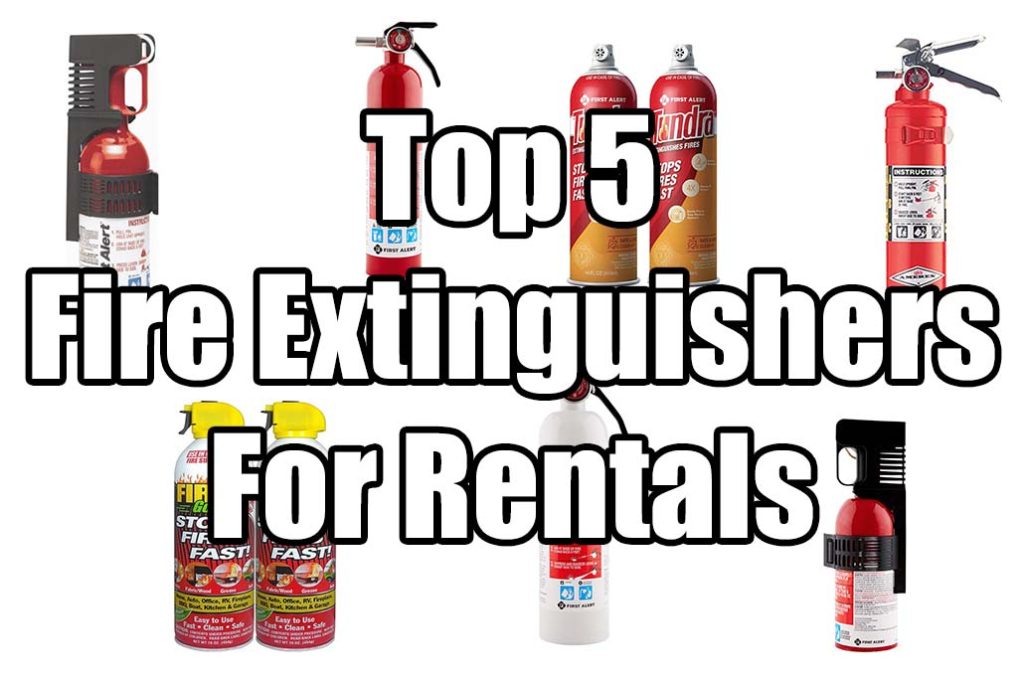
    Among so many options, it can be challenging to pick the right extinguisher. Whether a valve release or aerosol spray, today we will help you out by sharing our top five fire extinguishers for rental. Here are our top picks:


    1. Amerex 2.5 lb ABC Fire Extinguisher w/Aluminum Valve & Vehicle Bracket:

    Top 5 Fire Extinguisher For Rental

    Do you have a smaller Airbnb unit? If yes, you require a well-designed fire extinguisher. In that case, this extinguisher comes with a wall bracket which is handy since you can access it with ease. Furthermore, the bracket allows you to install this extinguisher in multiple places. As a result, protecting the unit becomes easy. It can tackle A, B, C fires.

    It consists of dry chemical which adds to the ease of use. Additionally, this extinguisher has a capacity of 2.5 lbs. That is why, if you’re looking at a smaller extinguisher, this is the one that you can buy.

    Features:

    Can tackle A, B, C type of fires

    2.5 lbs capacity

    Well designed

    Consist of dry chemical


    2. First Alert 1038789 Standard Home Fire Extinguisher

    The distinct feature of this extinguisher is that it comes with the installation equipment. It means that keeping your unit safe with it is possible. Moreover, it makes your place compliant with fire safety regulations. It consists of an ABC dry chemical and has a capacity of 2.5 lbs. As a result, extinguishing any fire will be quick and easy.

    Features:

    2.5 lbs capacity

    Consist of ABC dry chemical

    Includes installation hardware

    Makes your unit compliant with fire safety regulation


    3. First Alert Tundra Fire Extinguishing Aerosol Spray:

    Top 5 Fire Extinguisher For Rentalop 5 Fire Extinguisher For Rental

    The extinguisher which we are speaking about now is a fire extinguishing aerosol spray. The advantage is that it is usable for up to 4 times. With an efficient spray nozzle design, you can be sure that it is easy to use. You can clean it by wiping it with a damp cloth. It can tackle any fire, including electrical, wooden, fabric, and grease fires. Since it can handle any fire type, it is an excellent option for your Airbnb unit.

    Features:

    Can handle different types of fire

    Dischargeable for four times

    Easy to maintain

    Efficient nozzle design


    4. FIAFESA5 – Fire suppressant:

    home fire extinguishers

    Are you looking for a versatile fire extinguisher? If yes, this one will fulfill your requirements as it can handle oil, grease, gasoline, electrical fires. You will not have to buy separate extinguishers. It consists of a pressure gauge as well, which will help you in effectively using it. With the mounting bracket, installing it is quite easy. Also, the extra stability ensures that you can install and use it with ease. The reason why you should go for it is because of the versatility.

    Features:

    Can handle multiple types of fire

    Comes with mounting bracket

    Highly stable

    Offers a pressure gauge


    5. Fire Gone 2NBFG2704 Fire Suppressant Canisters:

    The distinct feature of this fire suppressant canister is that it can tackle A, B, and C fires. It is effortless to use and comes in a pack of 2. With the help of film-forming foam, you can be sure that it will extinguish the fire quite quickly. The frustration-free packaging means that you can use it without much effort. That is why; it should be on your list if you’re looking for a couple of canisters.

    Features:

    Pack of 2

    Easy to use

    Consist of film-forming foam

    Can tackle class A, B and C fire


    Check Out These Other Articles On Airbnbuniverse

    17 Cleaning Products To Use In Any Short Term Rental

    Airbnb Towels: How Many Do You Need Per Guest

    Top 5 Thermostats That Will Save You Money

    Top Smart Lock For Airbnb: The 5 Best Options For Short Term Rentals

    Airbnb Kitchen Essentials: A Full Checklist To Stock Your Kitchen

    Best Sheets For Airbnb: What Bed Sheets Do Hotels Use


    Final Thoughts

    So, are you looking to make your Airbnb safe? If yes, placing a fire extinguisher in your rental can help you adhere to the fire safety norms.

    Now, you don’t need to spend hours to choose one. You can go through our top 5 list above to select the right extinguisher in a jiffy.

  • Top 10 Airbnb Blogs in 2022 – Guide To Hosting
    Top 10 Airbnb Blogs in 2022 – Guide To Hosting

    Top 10 Airbnb Blogs in 2022 – Guide To Hosting

    With Airbnb constantly introducing new features and services, it is important to stay on top of the news. With Airbnb blogs, you are able to find the companies updates, fellow hosting problems, or just the latest tips.

    Airbnb Universe tried to cover every question you guys have. If you aren’t able to find it here YET then these other Airbnb blogs will qualify in our eyes.

    In this blog post, we will introduce you to our top Airbnb blogs that offer free resources that we have found valuable in the past.


    Top 10 Recommended Airbnb Blogs


    1. The Original Airbnb Blog

    Simply, you just can’t beat the original. They created Airbnb and deserve the number one spot. Technically this is more of a forum since we find the Airbnb blog to suck. With the Airbnb community, other hosts will answer almost any question you have and discuss it.


    2. Get Paid For Your Pad

    Jasper Ribbers is the podcast king of Airbnb and rental properties. Getpaidforyourpad.com podcast episodes include topics such as “How to use Instagram to promote your listing”, “Using Airbnb in South America”, and “Create a business renting apartments”. Furthermore, they have a great selection of blog posts making it on our top Airbnb blogs list.


    3. Airbnb Secrets

    Dany Papineau is an actor/filmmaker from Montreal, Canada who found Airbnb after putting his home up for sale. Airbnbsecrets.com includes some of the best Airbnb tips on the web and has some great online courses available.


    4. Learn Airbnb

    Learnairbnb.com studies the art of Airbnb hosting by going straight to the source. They have collected the wisdom of over 1000’s hosts. Their blog posts share the best hosting tips from hosts themselves making it experience and science put together.


    5. PassiveAirbnb

    Sam Zuo worked in the corporate world until exhaustion and decided to do his own thing. After many attempts at entrepreneurial experiments, he stumbled upon this idea of starting an Airbnb business leveraging other people’s properties. From what he has learned, Sam has transferred everything into blog posts including courses and free advice.


    6. OptimizemyAirbnb

    Danny is a world traveler with over 1000 nights in Airbnb listings and 33 countries. He is also a super host and YouTube content creator giving great Airbnb advice. Furthermore, Danny is the author of Airbnb best seller “Optimize YOUR Bnb: The Definitive Guide to Ranking #1 in Airbnb Search”


    7. Airbnb Guide

    Airbnb Guide is a fellow friend and one of our first Airbnb blog connections. They offer some amazing tips on hosting and templates that any Airbnb host can use in their listing description.


    8. The Airbnb Tips Blog

    A network of experienced Airbnb hosts who have come together to give their tips and tricks. Overall, all their blog posts are informative and will help you become a better host/traveler.


    9. The Abundant Host

    The abundant host gives great advice for professional hosts. More technical tips on what to do and not to do as a host. We have found their website to be very informative. Furthermore, the abundant host gives courses if that’s what you’re into.


    10. OurBnB

    OurBnb is actually one of the newest Airbnb blogs we have found. They don’t write blog posts as frequently but what they do have is knowledgable.


    Checkout Our Other Top Articles


    Final Thoughts

    We would love to include ourselves into this list and especially at the top but figure it would be naive. Well just say, we try to give you guys the best information and all the answers relating to Airbnb. But, if you couldn’t find absolutely everything then some of these other Airbnb blogs will have it. Enjoy and happy hosting!

  • How To Use Airbnb Instant Booking Proper – 5 Tips For Any Host
    How To Use Airbnb Instant Booking Proper – 5 Tips For Any Host

    How To Use Airbnb Instant Booking Proper – 5 Tips For Any Host

    Airbnb Instant Book

    No matter what, travel plans change. Maybe your flight got canceled or you don’t make it as far as you want on your road trip. By allowing Airbnb instant book you can gain these reservations as an Airbnb host.

    There are many pros and cons to allowing Airbnb instant booking, in this article, we will help you decide on whether you want to use Instant booking or not.


    What Is Airbnb Instant Booking?

    An Airbnb instant booking is when a guest can book an Airbnb listing without the host’s approval. Hosts choose to allow Instant booking and have the choice to require government I.D. and guest recommendations from other hosts.

    Furthermore, an Airbnb instant book adds an additional search filter for guests and place hosts higher on the search results.


    When Should You Use Airbnb Instant Booking?

    1. For most new listings, you want to gain positive reviews as quickly as possible. One of Airbnb list ranking metrics is how many reviews you have and how positive they are.

    2. For any Airbnb host that has multiple listings without a property manager, having Airbnb instant book will eliminate the time to respond to every single inquiry.

    3. Most of the time, guests will search for an area and inquire with multiple properties. If the guest has to wait for a response then chances are, they will move onto a quicker solution.

    NOTE – By applying Airbnb instant book your listing will be included in the additional “Instant Booking” search filter and will increase your booking rate overall.


    When Should You Not Use Airbnb Instant Booking?

    1. If you are in a location that is subjected to a big party scene year-round. Whether this would be with nightclubs or house parties doesn’t matter. Avoid instant booking so you can ask your guests additional questions.

    2. If you do not feel comfortable allowing guests to book without you reviewing them. Last-minute bookings are also in this category.

    NOTE – You are able to turn on your own guest requirements (government I.D., confirmed email, etc) that you set up during the instant book process.


    Can You Cancel An Airbnb Instant Booking?

    Believe it or not, we have found canceling when a guest books with Airbnb instant booking is easier than without it on.

    Airbnb takes into consideration that you didn’t approve your guest and allows you to cancel for such reasons:

    • Safety concerns
    • Your guest isn’t communicating with you, unresponsive
    • Third-party booking which you didn’t confirm
    • Can’t see the face in your guest’s profile photo
    • Incomplete profile
    • Guest is being rude
    • Guest wants to bring pets which you don’t allow
    • Suspecting a party or disturbance
    • If this is a repeated bad guest
    • They are demanding very unreasonable requests that make you uncomfortable
    • Exceeds the number of guests you allow
    • Breaking house rules or violating amenities

    Remember that finding reasons to cancel constantly could result in Airbnb penalizing you. We would suggest asking your guests questions before coming to a conclusion.


    How Do You Turn On Airbnb Instant Booking?

    Keep in mind Airbnb instant booking automatically gets applied to all your available calendar dates.

    Make sure you have set at least 1-day notice on bookings and possibly a minimum stay of 2 nights if you are using instant booking.

    Turning On Airbnb Instant Booking – Step 1

    After logging into your Airbnb account, click on the “Host” tab at the top which where a drop-down menu will appear. Scroll down until you see “Listing” and click on it.

    Airbnb Instant Book

    Turning On Airbnb Instant Booking – Step 2

    By default, the next page will be under the “Listing details” tab. To the right click on the “Booking settings” tab.

    Airbnb Instant Book

    Turning On Airbnb Instant Booking – Step 3

    Under booking settings, at the top, you will see the “How guests can book” section. On the right side click on the edit button.

    Airbnb instant book

    Turning On Airbnb Instant Booking – Step 4

    Next, choose how a guest can book your listing instantly. For Airbnb instant book, the top choice is the safest and best option. Remember to click the save button at the bottom when you are done.

    settings for Airbnb

    Turning On Airbnb Instant Booking – Step 5

    Now go back to the previous page. Under “Guest Requirements” you will set a standard of what you need from all guests in order for them to Instantly book with you.


    What Are The Benefits Of Having Airbnb Instant Booking Turned On?

    • Higher on Airbnb priority
    • Increases response rate since you don’t have to accept every guest request. Also boosts your listing placement due to your great response rate
    • Automatically adds you to the “Instant Booking” search filter on Airbnb
    • Don’t have to respond to every request
    • More bookings due to the additional search filter
    • Helps maintain Super Host Status which comes with a 90%+ response rate
    • You can cancel penalty-free if your guest books with Airbnb Instant Book
    • Those guests who do not meet your requirements can still send me a Reservation Request. You can accept many new users so it is a win/win for both you and your guests.

    Cons:

    • You won’t be able to screen or ask your guests questions before accepting them.
    • Possible last-minute bookings and cleaning (Set your listing to minimum 1-day booking notice)
    • More bookings but more cancellations since guest tend to book then review your house rules/listing

    How Do You Search For An Airbnb Instant Book?

    In order for a guest to book using Airbnb Instant book, you will need to complete your Airbnb account which includes:

    • Full name
    • Email address
    • Confirmed phone number
    • Introductory message
    • Agreement to house rules
    • Payment information

    Searching For An Airbnb Instant Book – Step 1

    After logging into the Airbnb account you plan to book with, search for where you wish to travel to.

    Next, scroll down until you see the sentence ending with “Stays” and click on it

    Airbnb map search

    how to search airbnb with instant book

    Searching For An Airbnb Instant Book – Step 2

    After the Airbnb search results appear, at the top click on the “Instant Book” tab. Next, turn on the instant book filter tab and remember to click the save button at the bottom.

    Now, only listings that include instant booking will appear. This will void any host response time.

    how to search for an Airbnb instant booking

    Searching For An Airbnb Instant Book – Step 3

    Next, click on the listing you would like to reserve. Pick the dates you would like to travel with and at the bottom click on “Reserve”

    Airbnb instant book

    Check Out Other Articles On Airbnbuniverse.com


    Final Thoughts

    With Airbnb instant book, there are plenty of positive and negative opinions. In this blog post, we weigh both the pros and cons for you and break down how instant booking works. Enjoy and well see you in our next post.

  • 10 Airbnb House Rules Template Examples
    10 Airbnb House Rules Template Examples

    10 Airbnb House Rules Examples With Template

    Airbnb house rules

    What comes to mind when you hear the term ‘Rules’? For many, it only brings up negative meanings like restriction, control, etc. 

    As an Airbnb host, it’s essential to have clear and concise house rules that help ensure a pleasant and stress-free experience for both the host and guests. Without rules, losing control over your unit is easy and might leave your guest uncomfortable and tentative.  

    So, it is best to have a proper framework of rules suitable for guests, neighbors, and you as a host. To help you get started, we will provide examples of Airbnb house rules and everything you need to know.

    What are House Rules?

    Airbnb house rules are guidelines you, as the host, provide to your guests before arrival. They are like a compass for your guests, guiding them throughout their stay on your property.

    The rules create a safe and comfortable environment for everyone on your property. Clear house rules help avoid misunderstandings between the host and guests and help create a positive experience for everyone involved.

    Tips on Creating House Rules

    When creating house rules for your Airbnb property, there are a few tips to remember to ensure your guests have a pleasant stay while protecting your property and neighbors.

    • Be Clear and Concise: Your house rules should be easy to understand and concise. Use simple language to make your expectations clear to your guests.
    • Keep It Relevant: Your house rules should be relevant to your property and neighborhood. For example, if your property is in a quiet residential area, you should include rules about quiet hours to avoid disturbing your neighbors.
    • Cover All Bases: Make sure that your house rules cover all areas of your property, including amenities, security, cleaning, and guest behavior. 
    • Consider Your Guests: Think about the type of guests you are likely to attract to your property and create rules that will help ensure that they have a pleasant stay. For example, if you cater to families with children, you may want to include rules about child safety.
    • Be Firm but Fair: Your house rules should be firm enough to protect your property and your guests but also fair and reasonable. Avoid being too strict, as this may deter potential guests from booking your property.

    What to Include in Your Airbnb House Rules?

    Opening/Welcome Statement

    As we already know, not everyone is comfortable with the term ‘rules’, so to make it less rigid and welcoming, it is best to add a little welcome note. 

    The welcome statement should set the tone for your Airbnb house rules. It should be warm and inviting yet firm and contain your contact information and penalties for breaking the rule. Below is a welcome statement example:

    Welcome to your Airbnb home! We have created a set of house rules to guide you through your stay. These are designed to protect our property, respect our neighbors, and ensure everyone has a pleasant experience. Feel free to contact us at [insert contact information here].

    So, before you unpack and settle in, please take a moment to review our house rules, which include the following:

    Rule #1: [Insert rule here]

    Rule #2: [Insert rule here]

    Rule #3: [Insert rule here]

    Rule #4: [Insert rule here]

    Rule #5: [Insert rule here]

    Rule #6: [Insert rule here]

    Rule #7: [Insert rule here]

    Rule #8: [Insert rule here]

    Rule #9: [Insert rule here]

    Rule #10: [Insert rule here]

    We hope these rules will help you enjoy your stay and maximize your time in our Airbnb property. Thank you for choosing our Airbnb for your stay, and have a wonderful time!

    General House Rules

    The general house rules set the tone for your guests’ stay. These rules should be concise and easy to understand. Examples of general house rules include:

    1. There is no smoking: Smoking inside the property is prohibited.
    2. Pets are not permitted inside the property.
    3. Parties and events are prohibited inside the property.
    4. Quiet hours: Guests must respect quiet hours and avoid loud noises during specific times of the day.

    These rules help guests understand what they can and cannot do on your property.

    Cleaning Rules

    Cleaning rules are an essential part of your Airbnb house rules, and they help ensure that your property remains clean and tidy for future guests. Examples of cleaning rules include:

    1. Guests must clean up after themselves: Guests must clean up after themselves, including washing dishes and taking out the trash.
    2. Guests must leave the property in the same condition as they found it: Guests must leave the property in the same condition as they found it, including furniture and appliances.
    3. Cleaning fee: There is a cleaning fee for the property.

    It’s essential to have clear cleaning rules to ensure that your guests understand their responsibilities in keeping your property clean.

    Security Rules

    Security rules are necessary to keep the property and guests safe. check out some examples of security rules include:

    1. Lock all doors and windows when leaving the property: Guests must lock all doors and windows when leaving the property.
    2. Do not give out the property’s access code: Guests must not share the access code with anyone outside the property.
    3. Do not leave valuables unattended: Guests must not leave valuables unattended on the property.

    These rules not only protect the property and guests but also provide peace of mind to the host.

    Amenities Rules

    Amenities rules help guests understand how to use specific amenities inside your property. Examples of amenities rules include:

    1. eating or drinking in bedrooms: Guests must not eat or drink in the bedrooms.
    2. Guests must not wear outdoor shoes inside the house.
    3. Guests must not use towels for makeup removal.

    Guest Behavior Rules

    Guest behavior rules are essential to ensure guests respect the property, neighbors, and other guests. Examples of guest behavior rules include:

    1. Respect for neighbors: Guests must respect the neighbors and avoid making excessive noise.
    2. Loud music are not allowed inside the property.
    3. Guests must not engage in unlawful activities inside or outside the property.

    These rules help maintain the property’s reputation and prevent legal issues.

    Check-In and Check-Out Rules

    Check-in and check-out rules are necessary to maintain the property’s schedule and ensure a smooth transition between guests. Here are some examples of check-in and check-out rules include:

    Check-In Rules:

    1. Check-in time is at [insert time], and check-out time is at [insert time]. Please let us know if you need to arrange early or late check-in, and we will do our best to accommodate your request.
    2. Upon arrival, please take a moment to review the property and ensure everything is in good condition. If you notice any damage or issues, please let us know immediately.

    Check-Out Rules:

    1. Check-out time is at [insert time]. Please gather all your belongings and double-check that you have included everything.
    2. Please leave the property in the same condition as when you arrived. This includes washing any dishes you have used, disposing of any garbage, and cleaning up any messes.
    3. Please return any keys or access cards to the designated area before leaving.

    Penalties for Violating House Rules

    Penalties for violating house rules should be clearly defined and communicated to guests before booking. Below are some examples:

    1. Deductions from the security deposit
    2. Termination of the reservation
    3. Legal action

    These penalties help to discourage guests from violating the rules and ensure a positive experience for future guests.

    Check Out These Other Articles On Airbnbuniverse


    Airbnb House Rule Template

    Here are 14 Airbnb house rule examples you can use in your Airbnb guidebook and listing description. You can pick and choose which ones you find necessary or use all of them. Good luck and happy hosting.

    1. No Parties or Events
    2. Only Registered Guests Are Allowed
    3. No Unregistered Guest
    4. Clean Your Dirty Dishes Before Check-Out or You Will Charged A Fee
    5. Do Not Use The Premises For Any illegal Activity
    6. No Smoking
    7. Guests Should Dispose Of The Garbage In The Trash Can
    8. No Shoes Inside The Home Please
    9. No Exception To Check-In and Check-Out Times Unless Discussed With The Host In Advance
    10. Damages Exceeding The Deposit Amount Will Be Billed To The Guest And Reported To Airbnb
    11. Turn Lights Off And A.C/Heat Off When Away
    12. No Pets
    13. Quiet Time After 11:00 pm
    14. The Fee For The Lost Key Will Be $xx

    Final Thoughts

    Having clear and concise Airbnb house rules is crucial to ensure a pleasant and stress-free experience for both guests and hosts. Following these guidelines, hosts can create a comfortable and enjoyable experience for their guests and help maintain the property’s reputation.

    FAQs

    If you have further questions, check out these commonly asked questions about Airbnb house rules.

    How to add house rules to Airbnb listings?

    To add house rules to your Airbnb listing, go to your hosting dashboard and click on the “Listing” section. Scroll to the “House Rules” section and click the “Edit” button. From there, you can add and edit your house rules as needed.

    What happens if an Airbnb guest breaks house rules?

    Depending on the severity of the rule violation, the host may contact the guest to discuss the problem and request that they correct their behavior. In extreme cases, the host may escalate the issue to Airbnb’s customer service team for resolution.

    Where are the house rules on Airbnb?

    The Airbnb house rules are on the listing page, typically towards the bottom. Guests can access the house rules through the reservation confirmation email or in the Airbnb app under the “House Rules” section.

    What if a guest won’t follow my Airbnb house rules?

    If a guest refuses to follow your Airbnb house rules, it is up to the host to address the issue. The host can contact the guest to discuss the problem and request that they correct their behavior. Sometimes, the host cancels the reservation and asks the guest to leave the property.

    How to tell guests to be respectful of Airbnb house rules?

    The best way to communicate your house rules to guests is to include them in your Airbnb listing and send a copy to the guest before their arrival. 

  • What Is Airbnb Self Check-In: How Does It Work and  How To Add It
    What Is Airbnb Self Check-In: How Does It Work and How To Add It

    What Is Airbnb Self Check-In: How Does It Work and How To Add It

    Airbnb self checkin

    What would you consider the best part of a hotel is? For us, it’s having the privacy to explore the hotel room and the room service. With a simple front door code and guest instructions through the app, you can provide self check-in for your Airbnb.

    What Is A Self Check-in On Airbnb?

    A self check-in on Airbnb means a guest can access the listing with a smart lock, key lockbox, key, doorperson, or front desk any time after the designated check-in time on their arrival date.

    6 Reasons You Would Use Airbnb Self Check-In

    1. Your Guests Will Feel Less Stressed & Anxious

    For us, there are two things that make us stressed as an Airbnb guest. One is traveling to a new location, second is the check-in process. We have found hosts that allow us to use a self-check-in process to make us feel welcome faster.

    With traveling, whether it’s flying or driving, the whole process can have unexpected turns for the worse. Sometimes flights will be late or canceled. Sometimes car emergencies or delays happen.

    There are Airbnb hosts who need to meet their guests. We recommend doing this for security reasons and better reviews but give your guests one nights rest before meeting them. This way they will be refreshed and less anxious.

    2. Less Time On You As an Airbnb Host

    On average whether you are living at your Airbnb listing or a short distance away. The time consumed with traffic driving to your listing, communication with guests and guest check-in/walkthrough adds up. It’s even worse when you think about how short the check-in process really is. Providing a self check-in process voids the traffic and guest walkthroughs.

    3. Allows You To Live Remotely & Save You Time

    With self check-in for your Airbnb listing, you can live anywhere in the world and manage your Airbnb. All you need is the app to communicate with your guests (sending self check-in instructions). Furthermore, the check-in process takes far less time so you can focus on multiple listings or increasing your bookings.

    airbnb self checkin

    4. More Automated Checkin Process

    If you are looking for simplicity, automating your Airbnb messages is key. For us, we copy and paste the majority of our messages from as soon as we get a booking, to after our guests first night sleep, to right after our guest checks out.

    The only time we don’t copy and paste is if our guests have a specific question. Most often it is about our community or our city. With a self check-in smart lock, you are able to add that instruction into your automated messaging.

    5. Special Perks For Your Airbnb Listing & Search Results

    With self check-in, fast wifi, and a workspace for business travelers Airbnb gives you a “Work Trip” badge. With the badge, any Airbnb guest can filter there searches for work trips where the results include the workspace and wifi. If you qualify for the badge your listing receives more exposure and essentially more bookings.

    6. Self Checkin On Airbnb Lets Your Airbnb Guests Feel Trusted

    From our personal experience, there is nothing worse than your Airbnb host watching over your every move. It makes any guest feel uncomfortable and unwelcomed. Giving your guest self check-in and letting them explore the place for themselves resembles trust which will increase your guest’s overall experience. In turn, it will help you get a better review.

    Check Out Our Other Articles On Airbnbuniverse.com

    How Do You Add A Self Checkin On Airbnb?

    1. Go to Your listings on airbnb.com and select a listing
    2. Next to Guest resources, click Edit
    3. Below Directions, click Add self check-in
    4. Select the way that guests can get into your listing
    5. Follow the instructions to add check-in instructions

    As far as Airbnb is concerned we wouldn’t suggest adding this feature. It sends your self check-in code up to 48 hours in advance and for us, that is far too soon. We only recommend sending your self check-in first thing on the day of your guest’s arrival. Below are detailed instructions for better options


    How To Self Checkin Your Airbnb Guests Properly


    1. Message Your Guest As Soon As They Book

    For one, any guest that books your Airbnb listing wants a response in a reasonable time frame. If a new booking doesn’t hear from you, they start to panic and could potentially cancel on you to book with another responsive listing. Second, Airbnb requires a 90% or higher response rate in order to achieve super host status which puts your listing higher on the Airbnb search results (more bookings),.

    What should you message your Airbnb guests? For us, there are two things we will message. First is based on an Airbnb guest not mentioning why they are staying with us. For the most part, guests will clarify why they are traveling. If they haven’t replied with why then send a simple short message

    “What brings you to (your city)? We’d love to give you travel advice”

    Afterward, you will get a read off the guests and decide to keep the booking or cancel. Remember some Airbnb guests are new and don’t understand the booking procedure in resemblance to a hotel.

    Second, if the guest has stated why they are staying with you then message an Airbnb guest with a standard message

    “Hi xxx, we are looking forward to hosting you. We will have everything ready upon your arrival and let us know if you have any questions – Devin & Sarah”


    2. Ask Your Airbnb Guests For Travel Details 72 Hours Before They Arrive

    72 hours before your Airbnb guests arrive it is always a good reminder to message them

    “We are excited to host you, when can we expect your arrival? – Devin”

    Since plans change or delays happen. Furthermore, a simple message will help your guests feel more comfortable.


    3. Send Your Airbnb Self Checkin Instructions On Guest Arrival Day

    For us, we always send our Airbnb guests the self check-in instructions as early as possible on arrival day. This way your guests have enough time to read the message and respond with any questions. We also give the self check-in instructions on arrival day for security reasons. Nobody wants to find a guest in their home early (it’s never happened to us but the internet has stories)

    Furthermore, we send a detailed messaged letting our guest know how to self checkin and where to go. What is our Airbnb self check-in instructions?

    “Hi Emily, here are the self check-in instructions for when you arrive. The front padlock code is 4932 When you enter the place through the front door, go straight into the kitchen and on the left, there is a key in the basement suite door. The key is for the door and basement is all yours! Message if you have any more questions – Devin”

    You can add more details such as if you provide extra perks like water in the fridge or your parking situation is limited. Every Airbnb listing is different so we will let you decide on that one.


    how to properly checkin a guest

    4. Check-Up After Your Guests First Night

    The day after check-in ask your guests if they need anything else or have any further questions. We usually message with:

    “Hi Emily, we hope you had a good nights rest. If you need anything or have any questions please let us know, we’d be happy to help – Devin”


    5. Message Your Airbnb Guests On Checkout Day & Politely Ask For A Review

    Most Airbnb forums think asking for a 5-star review is bad manors. For us, if you feel like you did a great job hosting then asking isn’t bad. We message every guest after they checkout with this

    “Hi Emily, we hope you had a great stay with us and safe travel home. We’d like to ask you for a favor. Could you give us a 5-star review for our Airbnb listing? It helps us stay at the top of our local Airbnb listings and helps you with future hosts. Thank you very much and if you are ever in Calgary again we’d love to host you. You were a great guest. Take care – Devin & Sarah”

    You are done! As far as hosting you could go further and keep prying but for us, you should give your guests some privacy and let them decide anything further.


    Final Thoughts

    The hardest part of Airbnb self checkin is writing up the messages you want to send to your Airbnb guests and when. With the above blog post, you have all the tools to communicate better Airbnb self check-in instructions to improve your hosting. Enjoy and happy hosting!